Password manager for macOS
The password manager your AI agents can just use.
Your coding agent needs a DATABASE_URL, a
STRIPE_SECRET_KEY and the login for staging. Kagisecure hands them over —
into a .env file, a process's environment, a browser form, or straight to the
agent — with no master password, no Touch ID and no approval sheet in the way. When a
secret deserves a pause, switch to Protected mode and every use waits for your
fingerprint again.
brew install --cask itsucara/tap/kagisecure
Free · macOS 15+ · Apple silicon & Intel · Version 0.6.2, in development
Open mode is the default: any app or AI agent running as you can read everything in the vault. Keep FileVault on, and choose Protected in Settings → Security for a vault you can't afford to expose.
write_env_file(environment: "acme / staging", dir: "~/code/acme")DATABASE_URLSTRIPE_SECRET_KEYREDIS_URL
read_item("Staging admin login") — and signs in to check the deploy.How agents use your secrets
Kagisecure starts in Open mode: it never interrupts you or your agents. You decide later what deserves a pause, and turn it on with one switch.
Agents see what you keep
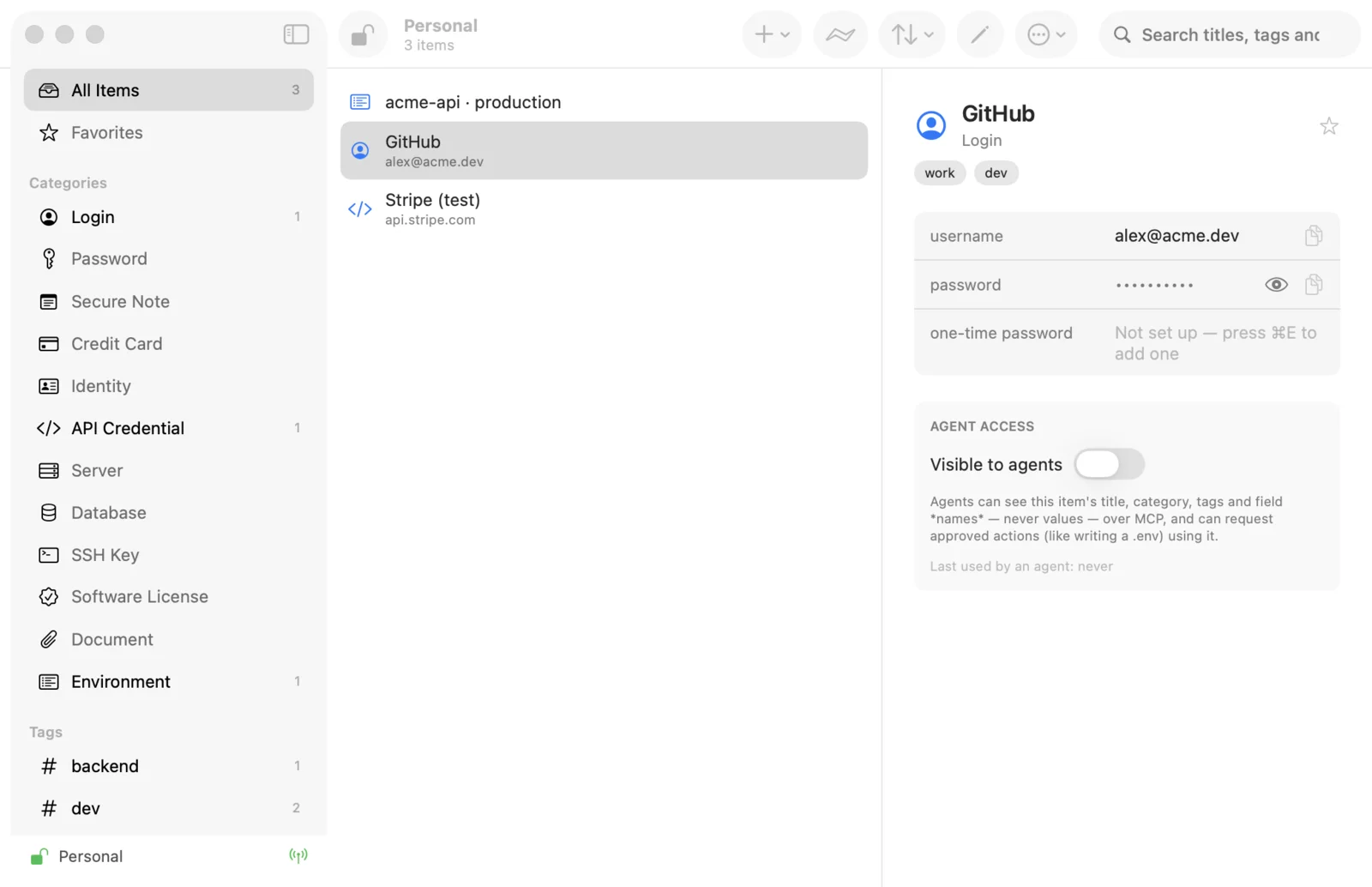
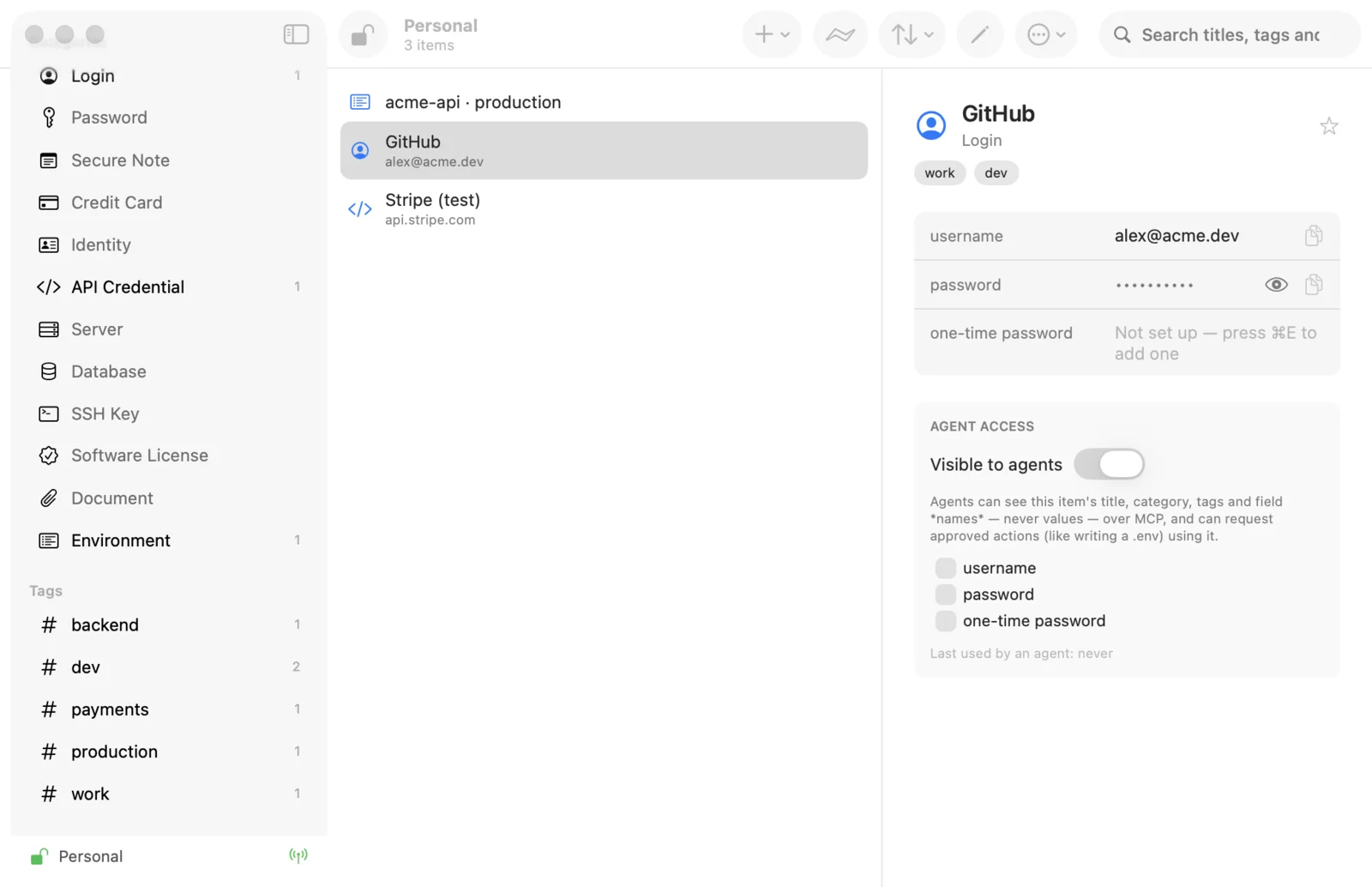
Over MCP, an agent lists your vaults, items and environments. With
read_item it reads a login, an API key or the current one-time code
directly, and it creates environments and test accounts without asking you first.
Or keep values out of the chat
An agent rarely needs to read a secret, only to have it present when something
runs. write_env_file and run_with_env put the values in a file or
a process and hand back names only, so nothing lands in the model's context.
Protected when it matters
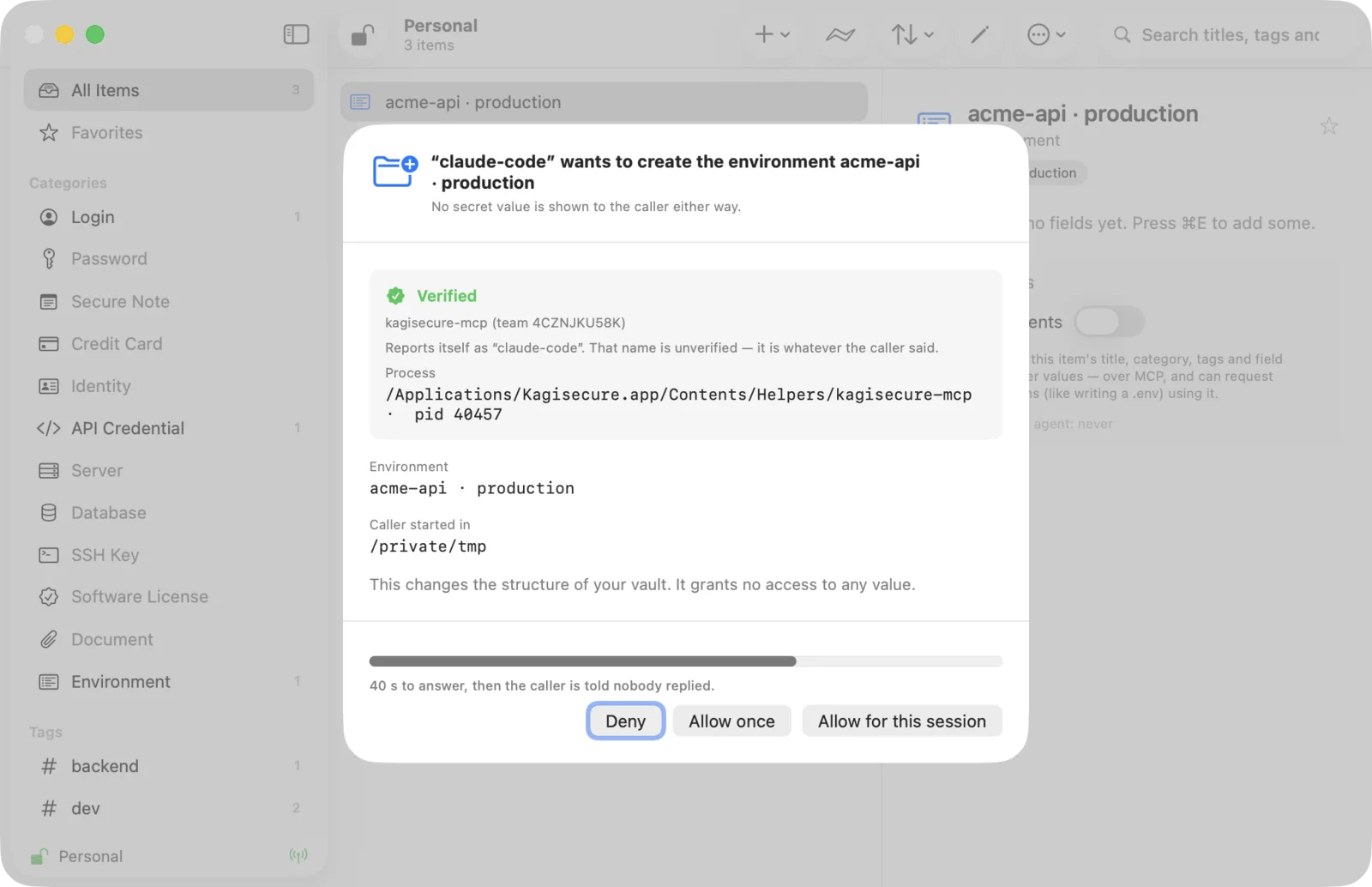
Switch to Protected mode and every request stops at an approval sheet in the app — the caller and its code signature, the directory, the variable names — granted with Touch ID, under a lease you can revoke. Values never reach agents there.
Three ways in: the MCP server for agents like Claude Code, Claude Desktop,
Codex and Cursor; the CLI, where kagisecure run starts a command with
secrets in its environment, no master password asked; and the browser extension
(Chrome Web Store, or built into the app for Safari), which fills your
username and password as the page loads.
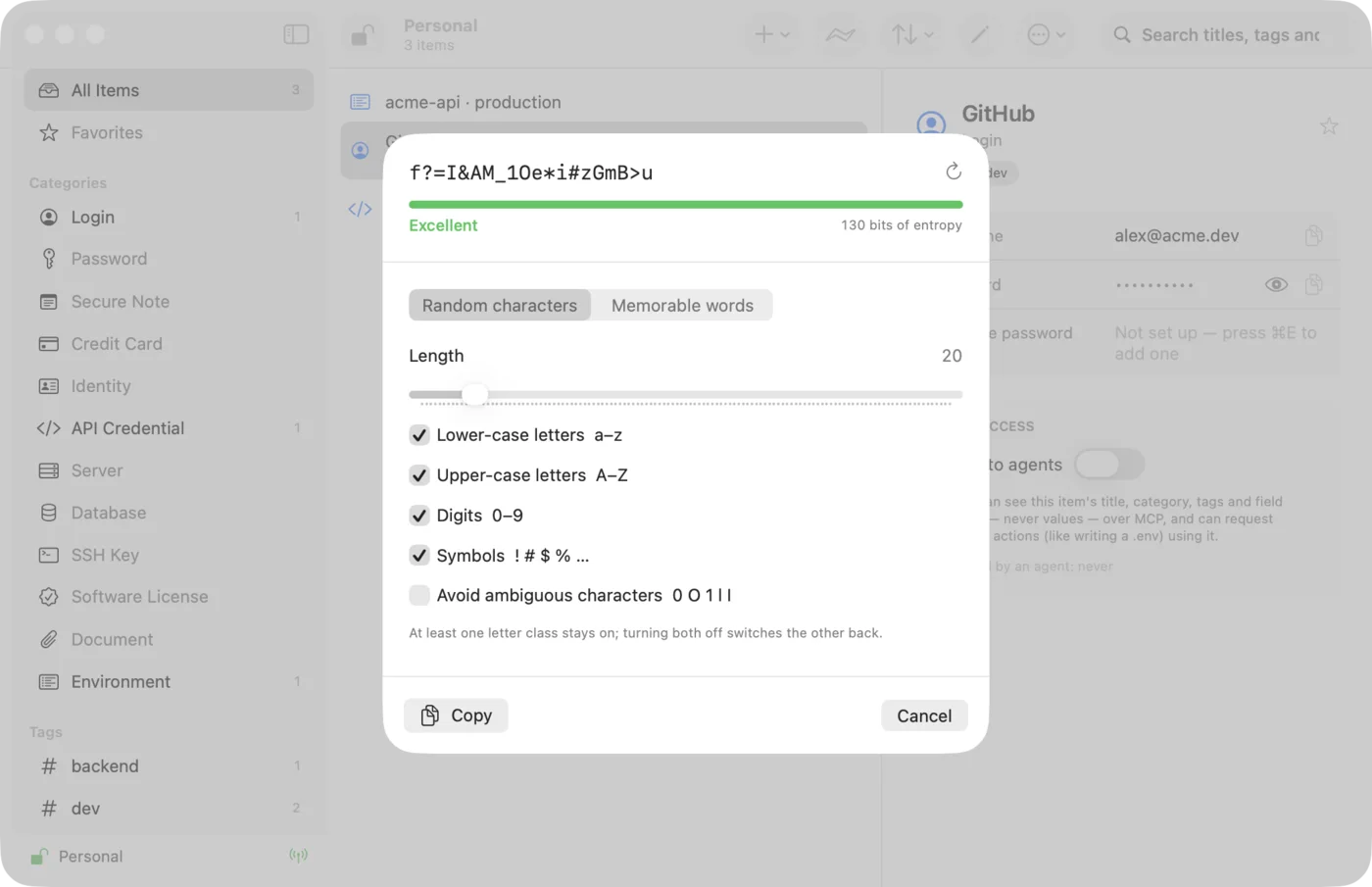
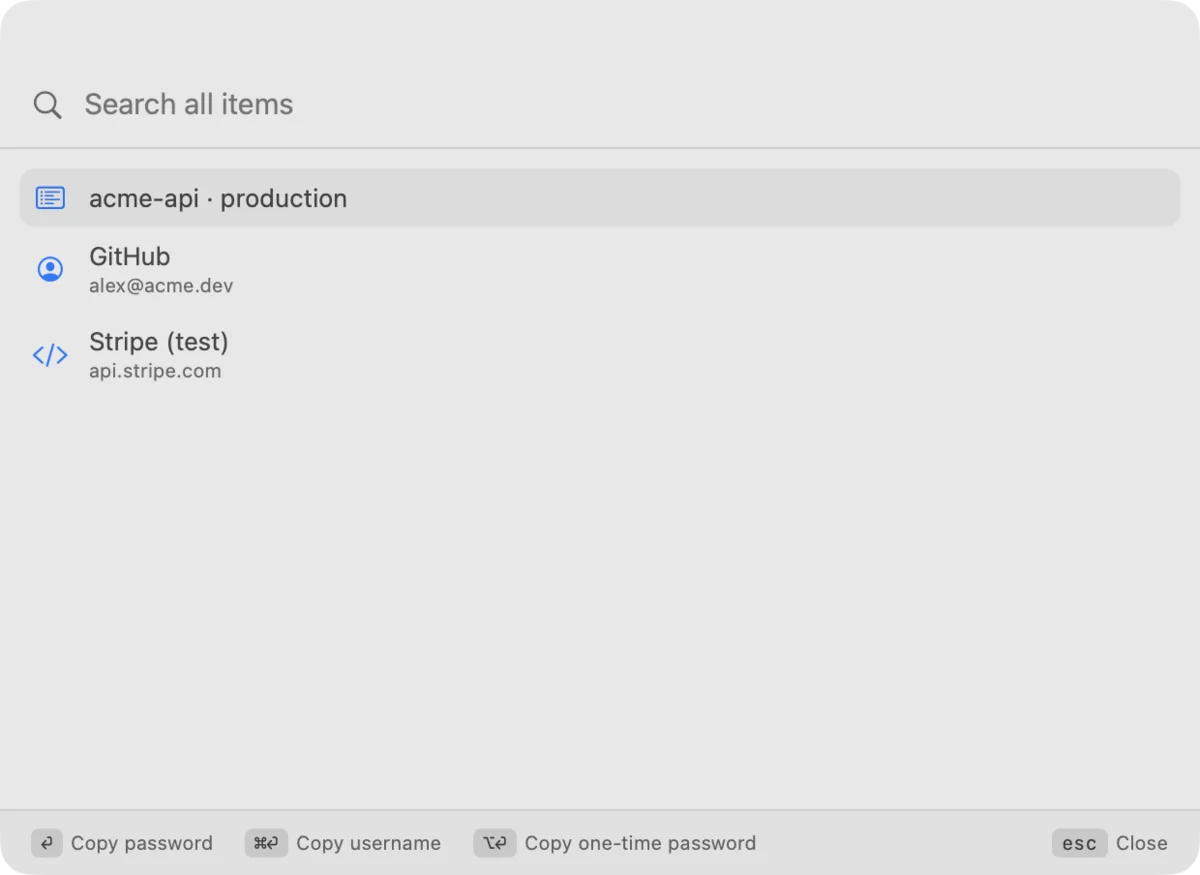
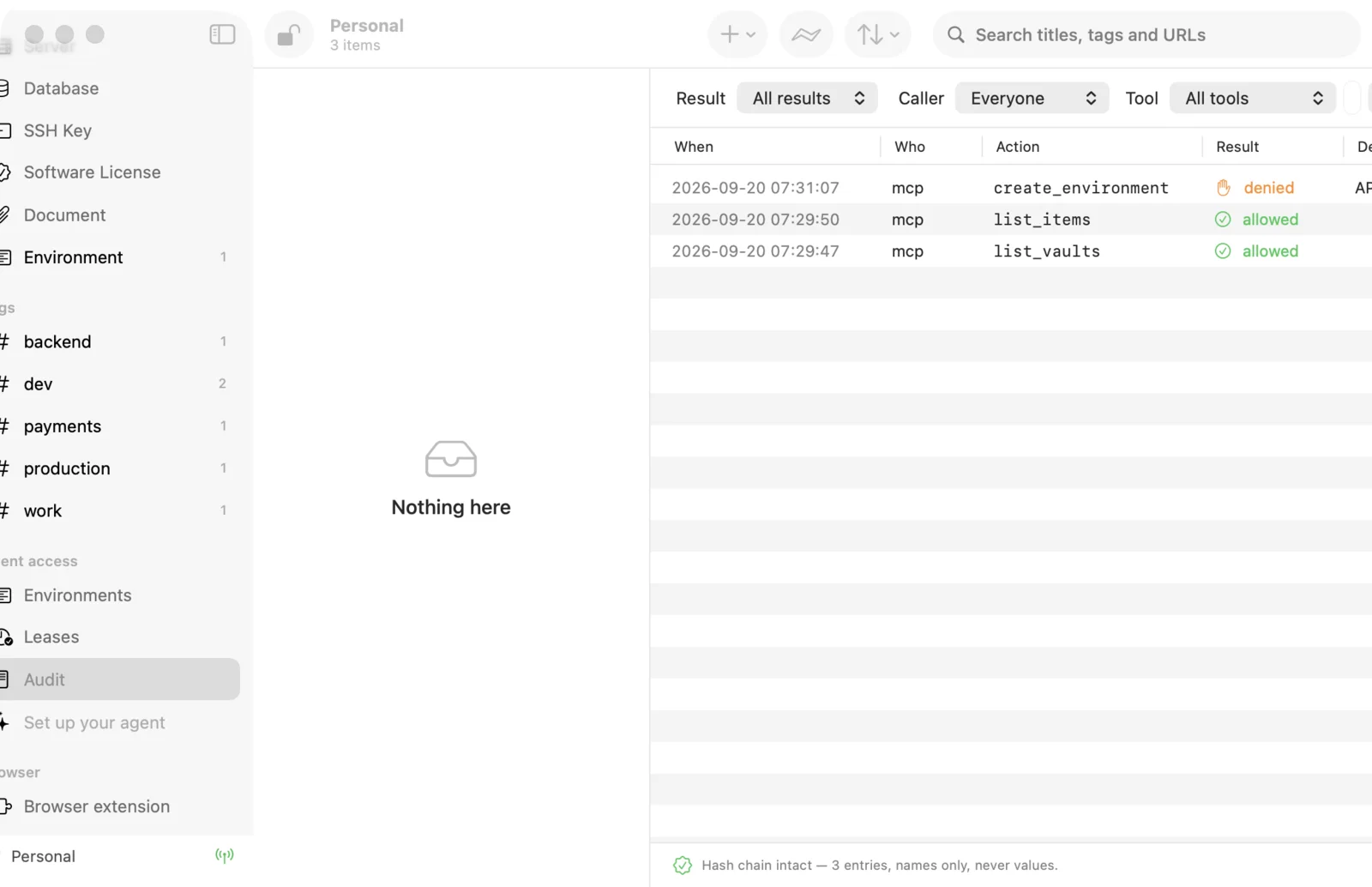
What it looks like
A native Mac app. Your vault stays on this machine, and nothing you see here talks to a server.
A real password manager, too
Kagisecure is a native SwiftUI app, not a web view. It keeps your logins, API keys, notes and one-time codes, and fills them wherever you need them.
- Open or Protected. Open mode never asks: no master password at launch, no auto-lock, no Touch ID, no approval sheets. Protected mode asks before every use. One switch in Settings → Security.
read_itemfor agents. In Open mode an agent can read a password, a key or the current one-time code directly.- Environments. Group the variables a project needs, bind each one to a vault field, and let agents ask for the set by name.
kagisecure run. Start a command with secrets in its environment. No shell in between, and injected values are masked in the output on the way back.- Leases you can see. Live countdowns, per-lease revoke, and
kagisecure lockto drop the key and every lease at once. - Environments without a password prompt.
kagisecure runand the rest of the CLI open the vault on their own in Open mode. - An audit log that checks itself. Every call is recorded, including the ones you
refused, in a hash chain you can verify with
kagisecure audit --verify. - Browser autofill that just fills. For Safari, and for Chrome, Edge, Arc, Brave and Chromium with the extension from the Chrome Web Store. When one saved login matches the site, your username and password go in as the page loads — on two-step sign-ins too. The site is always checked against the item's saved websites. (Chrome and the other Chromium browsers get the on-load fill with the next extension update from the Chrome Web Store.)
- Quick Access. Press ⇧⌘Space from any app to copy a password, username or one-time code.
- Passwords and one-time codes. A generator for random passwords and passphrases, with a strength meter based on real entropy, and TOTP codes with a countdown ring.
- Easy to move in. Import from 1Password (
.1pux) and from CSV exports of 1Password, Apple Passwords, Chrome and Firefox.--dry-runshows the plan first. - A recovery code. Created with your vault with a master password you rarely type. The code unlocks the vault if you forget the password, or on a new Mac.
The security model, honestly
Kagisecure is local-first. There is no server, no account and no telemetry. The only network request the app makes is the update check, which you can turn off. What it defends against depends on the mode you pick.
Your vault is a file you own
A single encrypted file on your Mac. The key is derived from your master password with Argon2id, and the contents are sealed with ChaCha20-Poly1305. In Open mode a copy of the key sits beside the vault, readable only by your macOS user, so it opens without a password; FileVault keeps both encrypted at rest.
What Open mode lets through
Anything running as you — an AI agent talked into it by a prompt injection, a malicious app, someone at your unlocked Mac — can read the whole vault. Other macOS users can't, a browser only gets logins for the site it is on, and everything is in the audit log.
What Protected mode adds back
A master password or Touch ID to unlock, auto-lock on idle, sleep and screen lock, Touch ID for every reveal and fill, an approval sheet for every agent request, agents limited to items you share, and no values over MCP. The threat model assumes a compromised agent and prompt injection through tool results.
Signed and notarized
Official builds are signed with Apple's Developer ID by Itsucara and notarized by Apple. The CLI, MCP sidecar and browser helper ship inside the app and are signed with it.
Kagisecure is at version 0.6.2 and still in development: the vault format isn't frozen yet, and Open mode is the default while we find out which protections are worth their friction. The threat model describes Protected mode as of 0.5.0.
Install
Requires macOS 15 Sequoia or later, on Apple silicon or Intel.
Download the app
Download Kagisecure.dmg, open it and drag Kagisecure to Applications. It opens like any other app, with no workarounds needed.
Or use Homebrew
brew install --cask itsucara/tap/kagisecure
The cask installs 0.5.0 and puts the kagisecure CLI and its helpers on your
PATH; the app then updates itself to the latest version and asks once whether
to switch to Open. Uninstalling never deletes your vault.
Add the browser extension
For Chrome, Edge, Arc, Brave and Chromium, install Kagisecure from the Chrome Web Store. For Safari, the extension comes with the app: turn it on in Safari → Settings → Extensions. Either one fills from the app on this Mac, so the app has to be running.
Check the signature yourself
spctl -a -vv -t install /Applications/Kagisecure.app
# accepted, source=Notarized Developer ID
codesign -dv --verbose=4 /Applications/Kagisecure.app 2>&1 | grep Authority
Connect your agent
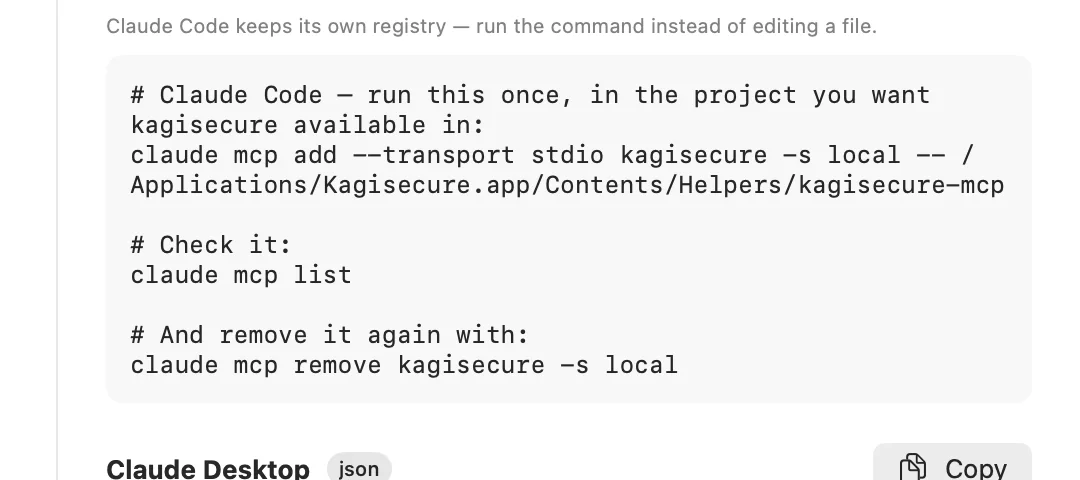
Open the app, create your vault, and follow Set up your agent. In Open mode the agent can use every item right away. It shows the exact configuration for Claude Code, Claude Desktop, Codex and Cursor with a copy button. For Claude Code, it's one line:
claude mcp add --transport stdio kagisecure -s local -- "$(kagisecure mcp path)"
Source code
The source of Kagisecure 0.5.0 is on GitHub, dual-licensed under MIT or Apache 2.0, at your option. While Kagisecure is in development, newer versions are published as signed apps only.
Read the code
A Rust core, CLI and MCP server, and a native SwiftUI app, with the design decisions written up as ADRs — as of 0.5.0.
Report a vulnerability
Please don't open a public issue. Use GitHub's private vulnerability reporting, or write to security@kagisecure.com.